
Smart Input Source Switching
Automatically switch keyboard input sources based on the active app. Never manually switch languages again.
Requires macOS 13+
Tired of Switching Input Sources Manually?
Every time you switch apps, you have to manually change your keyboard language. Writing code in English, then switching to WeChat to reply in Chinese — it's repetitive and breaks your flow.
Constant manual switching
Interrupts your workflow
Easy to forget and type gibberish
What is InputSwitcher?
InputSwitcher is a lightweight macOS utility that automatically switches your keyboard input source based on which app is active. Set it once, and it works silently in the background.
Automatic Detection
Detects when you switch apps and changes input source instantly
Custom Rules
Create rules for each app — VS Code in English, WeChat in Chinese
Zero Distraction
Works quietly in the menu bar, no popups or interruptions
How It Works
Set up once, enjoy forever. InputSwitcher runs in the background and handles everything automatically.
Add Rules
Select an app and assign an input source
Auto Detection
InputSwitcher monitors your active app
Instant Switch
Input source changes automatically
Who Uses InputSwitcher?
Whether you're a developer, writer, business professional, or simply multilingual—InputSwitcher adapts to your workflow.
For Software Developers
Code in English, communicate in your native language. InputSwitcher automatically switches to ABC when you open VS Code, Terminal, or Xcode—and back to your native input when you switch to chat apps.
For Content Creators
Write blog posts, articles, and social media content in multiple languages without the frustration of manual switching. Focus on creativity, not keyboard management.
For Business Professionals
Communicate with international clients seamlessly. Switch between business apps in English and personal messaging in your native language automatically.
For Students & Researchers
Write academic papers in English while taking notes in your native language. Research across language barriers without input source friction.
For Multilingual Families
Communicate with family overseas in your heritage language while handling daily tasks in your adopted country's language. InputSwitcher makes bilingual life easier.
For Gamers
Chat with international gaming communities without language switching interrupting your gameplay. Set rules per game and per chat application.
Powerful Features
Packed with features designed for power users who demand seamless multilingual workflows.
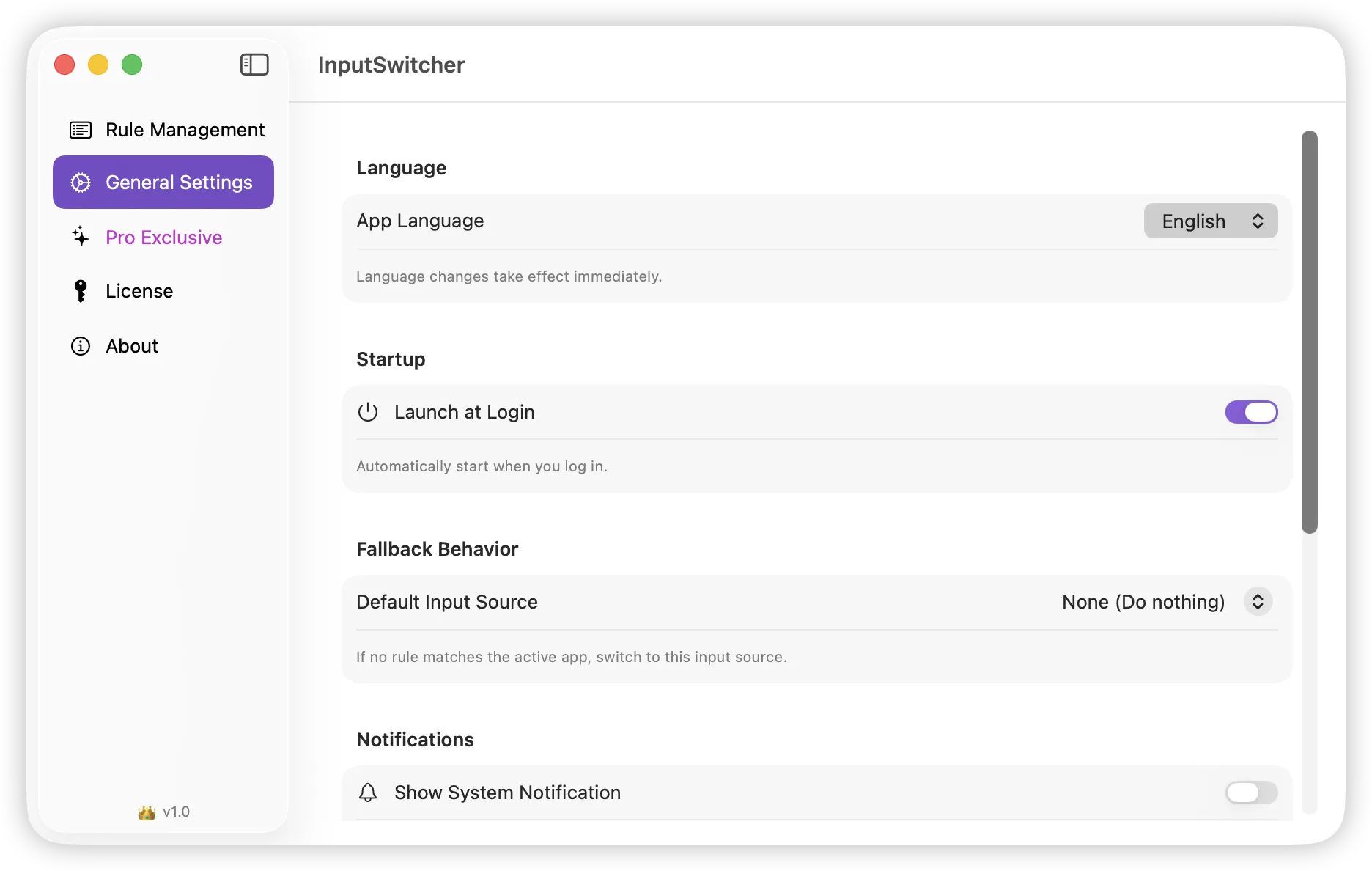
Launch at Login
Start automatically when you log in
Visual Indicator
See which input source is active with a floating indicator
Sound Effects
Subtle audio feedback when switching
Global Hotkey
Press ⌘⌥P to pause/resume switching
Menu Bar Flag
Show country flag for current language in menu bar
Import & Export
Backup and restore your rules as JSON
InputSwitcher vs Manual Switching
See how automatic input source switching compares to the manual approach you've been using.
| Aspect | Manual Switching | With InputSwitcher |
|---|---|---|
| Switching Method | Keyboard shortcut required | Fully automatic, instant |
| Setup Time | None | 5 minutes one-time setup |
| Daily Time Saved | 0 minutes | 10-15 minutes |
| Wrong Language Errors | 15-30 per day | Near zero |
| Mental Overhead | High (must remember to switch) | None (set and forget) |
| Context Awareness | None | App-specific rules |
Available in 8 Languages
InputSwitcher supports multiple languages to serve users worldwide
Frequently Asked Questions
Everything you need to know about automatic input source switching on macOS.
What is InputSwitcher and how does it work?
How do I automatically switch keyboard input on Mac?
Is InputSwitcher free to use?
Does InputSwitcher work with all input methods?
How is InputSwitcher different from macOS built-in input switching?
Can I temporarily disable automatic switching?
Does InputSwitcher slow down my Mac?
What macOS versions are supported?
Ready to Boost Your Productivity?
Download InputSwitcher now and never manually switch input sources again.
Download FreeFree download • No account required • macOS 13.0+